Stop spending your weekend analyzing test results.
TestGrid turns your class's answer sheets into clear answers: who is struggling, what they're struggling with, and what to teach next. Mapped to the Table of Specifications you already wrote.
Photograph the sheets. Get your analysis. Know what to reteach.
Nothing to pay up front. Opens Messenger, and we send you the app.
Least mastered, by thinking level filled in for you
Reteach: Applying, in Heredity. Items 7, 9 and 11.
Photograph one test. Here's what TestGrid tells you.
Who needs help
9 learners
scored below 50%, each with their weakest area named.
What they struggled with
Heredity, 41%
the least-mastered competency on your Table of Specifications.
Where it went wrong
Item 17
68% of the class chose the same wrong answer, C.
What to do next
Reteach Applying
and revise item 23, which doesn't separate strong learners from weak ones.
Example report for a Grade 8 Science class of 40. Your report uses your own class and your own test.
A score tells you what happened. TestGrid tells you why.
By hand
- Mark every paper
- Tally every answer
- Compute difficulty and discrimination
- Count the wrong choices
- Sort by competency
- Decide what to reteach
Usually your weekend.
With TestGrid
- Photograph the sheets
- Read the report
- Reteach
Done before you stand up.
Other tools stop at the score.
| What you need | TestGrid | Red pen and a spreadsheet | A scanner app |
|---|---|---|---|
| Marks a class from phone photos | |||
| Scores for every learner | By hand | ||
| Difficulty and discrimination per item | By hand | ||
| Weakest competency, mapped to your TOS | By hand | ||
| Each learner's weakest area named | |||
| Several sections combined into one report | By hand | ||
| Works with no internet and no account | |||
| What it costs | Once | Your weekend | Every year |
Four steps, on the phone you already have.
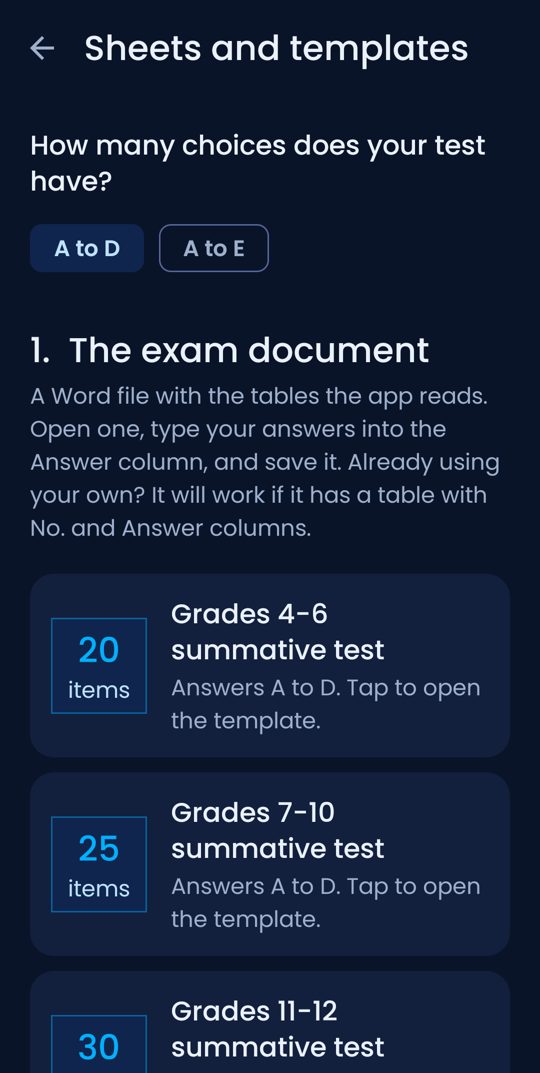
Answer sheets come with the app. Four fit on one A4 page.
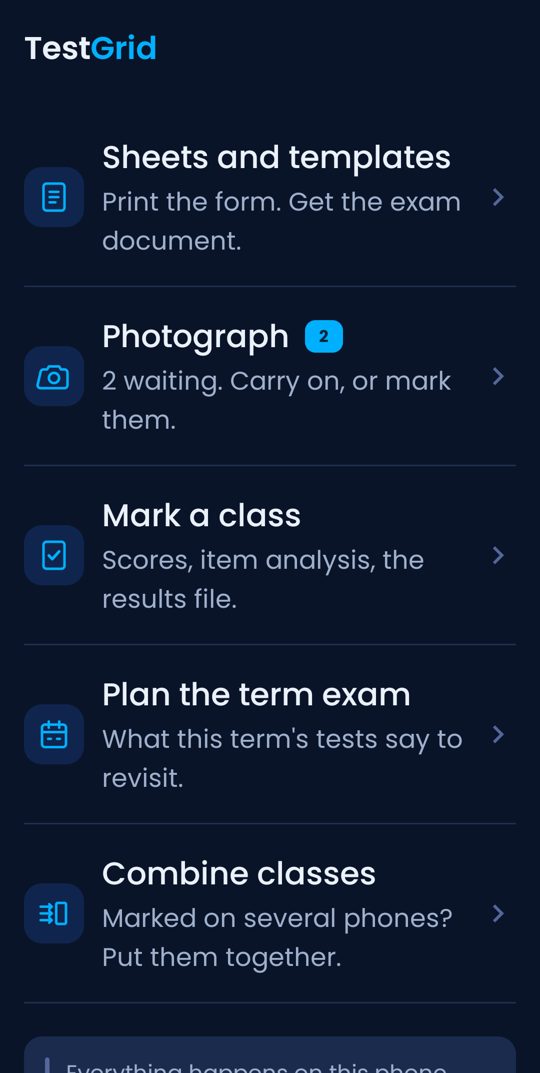
Photograph
One photo per sheet. The app straightens the page itself.
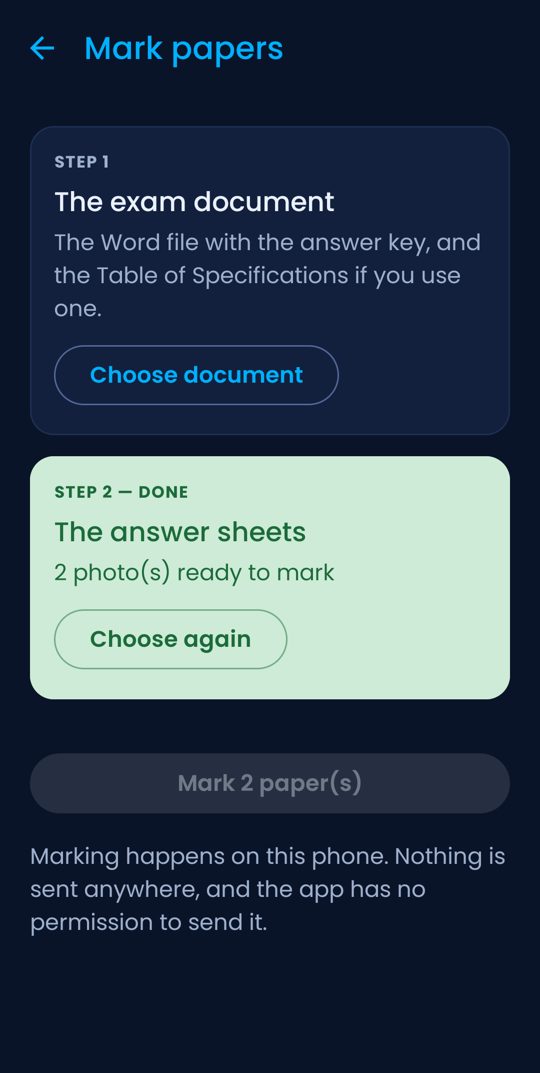
Mark
Choose your exam's Word file. The key and the TOS come straight out of it.
Read
Scores, item analysis and what to reteach, finished.
What teachers say after using it
“Okay ‘to ah. 😅 Dati mano-mano talaga ako magcheck ng papers, ang tagal. Ngayon scan na lang, mas mabilis na. Tapos may item analysis pa, so kita agad kung alin yung items na nahihirapan yung students.”
“Super helpful ng TestGrid, lalo na pag marami kang sections. Scan lang yung papers, then pwede mo rin pagsamahin yung results ng different sections for one item analysis. Hindi na kailangan gumawa manually. Big time saver talaga.”
“Ang hassle dati magcheck isa-isa tapos ako pa nagco-compute ng item analysis. 😅 With TestGrid, scan na lang yung papers and pwede i-collect yung results from different sections into one report. Mas convenient talaga.”
And you don't have to take our word for it.
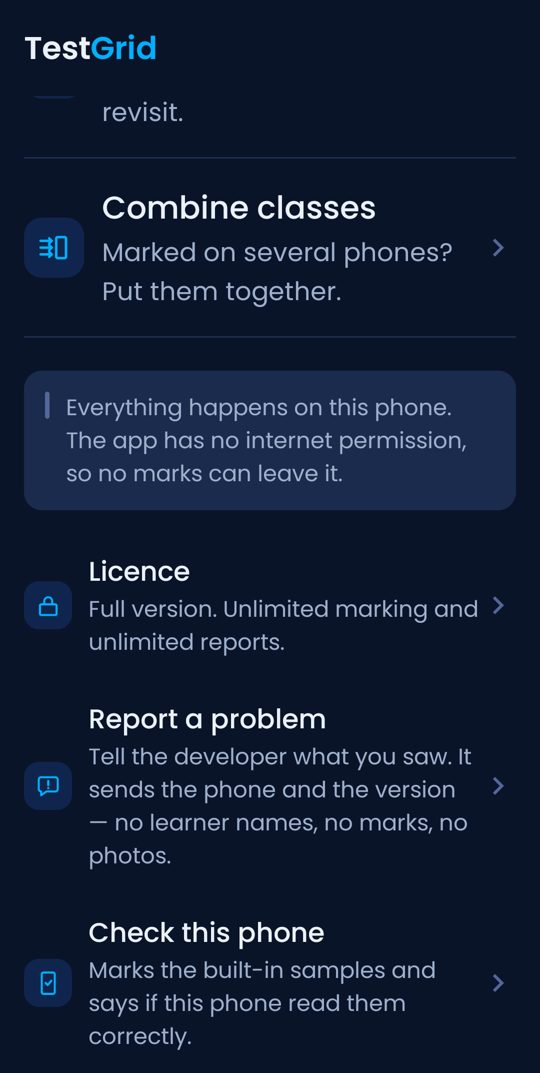
A self-test for your phone
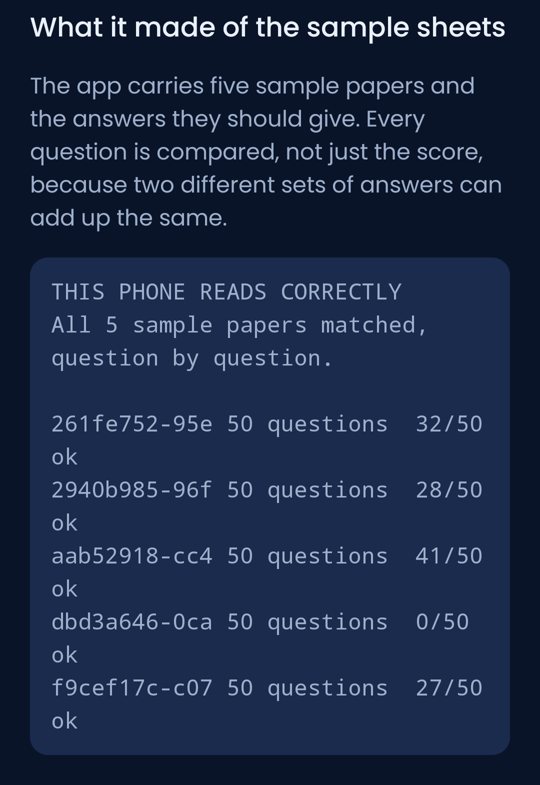
Tap "Check this phone". It marks sample papers built into the app and tells you plainly whether your handset reads correctly.
No internet permission
The app asks for the camera and nothing else. Learner names and scores can't leave your phone.
It asks instead of guessing
A faint shade or a double shade is set aside for you to decide, never guessed.
Get your weekends back.
Start free, on your own class
Mark your next real test and read the full analysis before you pay anything.
- 100 sheets a month, free every month
- 5 full item-analysis reports
- No account, nothing to pay up front
- Unlimited markingEvery class, every test, no cap on sheets or learners.
- Unlimited item analysis, mapped to your TOSWeakest competency and thinking level, and each learner's weakest area.
- Difficulty, discrimination and distractor tablesPlus what to do with each item: keep, revise or drop.
- Term exam plannerWhat this term's tests say to come back to.
- Several sections, one reportEach teacher marks their own section on their own phone.
- Shareable class summary cardThe whole analysis in one picture, no learner named.
TestGrid full key
Launch-period price. It goes up to ₱299 after launch.
- Paid once. No subscription, no renewal.
- For one phone, forever.
- Unlimited classes, tests and learners.
Less than one hour of a Teacher I's pay. Every scanner app that lifts its limits charges again next year.
Get my keyStart free first. Buy only if your own class convinced you.
Questions teachers ask first
What happens after my free reports?
Marking stays free: 100 sheets a month, every month, with no end date. After your 5 full reports, the item analysis needs the key. You decide only after you've seen it on your own class.
Is this legit, or a scam?
You don't have to trust us for the part that matters. Install it, print a sheet, mark it, and check the result against the paper in your hand. If it doesn't do what this page says, you've lost twenty minutes and no money.
Do I need to be good with technology?
No. If you can take a photo on your phone and pick a Word file, you can use it. The setup guide walks through every screen with pictures.
What kind of tests can it analyze?
Multiple-choice tests, A to D or A to E, up to 60 items. Print the answer sheets from the app, or use most bubble sheets you already have. Your exam just needs to be a Word file with a table of item numbers and answers. Add your Table of Specifications, and every item is reported under its own competency.
How long does it take?
About as long as it takes to photograph the sheets. The analysis is ready as soon as the last paper is marked. There's nothing to export and no spreadsheet to fill in.
Can I use it for all my classes?
Yes. Mark each section separately, or combine several sections into one report, even when they were marked on different phones.
Will it work on my phone?
It's an Android app. It needs Android 7 or newer, 64-bit, and about 120 MB free, which covers most phones from about 2016 onward. There's no iPhone version. Tap "Check this phone" after installing and it tells you for certain.
Is my learners' data safe?
The app has no internet permission, so no photo, name or score can leave the phone. There's no account and no sign-in.
How do I pay and get the key?
Message our page. You send us the device ID from the app's Licence screen, we send back your key after payment, and you paste it in. Everything unlocks right away.
Who made TestGrid?
One person who saw how heavy the work is for teachers, especially checking papers and computing the item analysis after every test. TestGrid was built to lift that burden, so you get time back for your teaching, your learners, and yourself. When you message the page, you're talking to the person who built it.
For department heads: one analysis for the whole grade level.
Each teacher marks their own sections. The results combine into a single item analysis for the entire grade level. Free for every teacher to try, and we can set up keys for the whole department in one go.
Your next test shouldn't cost you your weekend.
Mark one real class free and read your analysis before you pay anything. If it earns its place, the key is ₱99 during the launch period, paid once.
Nothing to pay up front. Opens Messenger, and we send you the app.